
Check out reviews on this book here. Get the book from here.
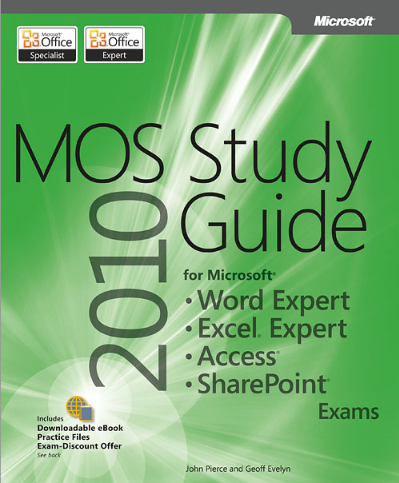
Demonstrate your expertise with Microsoft Office! Designed to help you practice and prepare for four Microsoft Office Specialist (MOS)
exams, this all-in-one study guide features:
- Full, objective-by-objective exam coverage
- Easy-to-follow procedures and illustrations to review essential skills
- Hands-on practice tasks to apply what you’ve learned; files included
Use the in-depth exam prep, practice, and review to help advance your proficiency with Microsoft Office—and earn the credential that proves
it!
Exams covered:
- 77-887: MOS: Microsoft Office Word 2010 Expert
- 77-888: MOS: Microsoft Office Excel 2010 Expert
- 77-885: MOS: Microsoft Office Access 2010
- 77-886: MOS: Microsoft SharePoint 2010
Companion Content includes:
- Practice files for each exam
- Fully searchable eBook
- Sample chapters from five STEP BY STEP books from Microsoft Press
- Additional eBooks and resources
Special Offer: Exam discount
- Get 25% off your MOS exam fee from Certiport
- See details on the Certiport offer page inside
Table of Contents
-
Exam 77-887 Microsoft Word 2010 Expert
-
Chapter 1 Sharing and Maintaining Documents
- 1.1 Configure Word Options
- 1.2 Apply Protection to a Document
- 1.3 Apply a Template to a Document
- Objective Review
-
Chapter 2 Formatting Content
- 2.1 Apply Advanced Font and Paragraph Attributes
- 2.2 Create Tables and Charts
- 2.3 Construct Reusable Content in a Document
- 2.4 Link Text Boxes and Sections
- Objective Review
-
Chapter 3 Tracking and Referencing Documents
- 3.1 Review, Compare, and Combine Documents
- 3.2 Create a Reference Page
- 3.3 Create a Table of Authorities in a Document
- 3.4 Mark and Compile an Index for a Document
- Objective Review
-
Chapter 4 Performing Mail Merge Operations
- 4.1 Execute a Mail Merge Operation
- 4.2 Create a Mail Merge by Using Other Data Sources
- 4.3 Create Labels and Envelopes
- Objective Review
-
Chapter 5 Managing Macros and Forms
- 5.1 Apply and Manipulate Macros
- 5.2 Apply and Manipulate Macro Options
- 5.3 Create Forms
- 5.4 Manipulate Forms
- Objective Review
-
-
Exam 77-888 Microsoft Excel 2010 Expert
-
Chapter 1 Sharing and Maintaining Workbooks
- 1.1 Apply Workbook Settings, Properties, and Data Options
- 1.2 Apply Protection and Sharing Properties to Workbooks and Worksheets
- 1.3 Maintain Shared Workbooks
- Objective Review
-
Chapter 2 Applying Formulas and Functions
- 2.1 Audit Formulas
- 2.2 Manipulate Formula Options
- 2.3 Perform Data Summary Tasks
- 2.4 Apply Functions in Formulas
- Objective Review
-
Chapter 3 Presenting Data Visually
- 3.1 Apply Advanced Chart Features
- 3.2 Apply Data Analysis
- 3.3 Apply and Manipulate PivotTables
- 3.4 Apply and Manipulate PivotCharts
- 3.5 Use External Data Sources
- Objective Review
-
Chapter 4 Working with Macros and Forms
- 4.1 Create and Manipulate Macros
- 4.2 Insert and Manipulate Form Controls
-
-
Exam 77-885 Microsoft Access 2010 Specialist
-
Chapter 1 Using the Access Workspace
- 1.1 Create and Manage a Database
- 1.2 Configure the Navigation Pane
- 1.3 Use Application Parts
- Objective Review
-
Chapter 2 Building Tables
- 2.1 Create Tables in Design View
- 2.2 Create and Modify Fields
- 2.3 Sort and Filter Records
- 2.4 Set Relationships
- 2.5 Import Data from a Single Data File
- Objective Review
-
Chapter 3 Building Forms
- 3.1 Create Forms
- 3.2 Apply Form Design Options
- 3.3 Arrange Fields and Objects on a Form
- 3.4 Format Forms
- Objective Review
-
Chapter 4 Creating and Managing Queries
- 4.1 Construct Queries
- 4.2 Manage Source Tables and Relationships
- 4.3 Manipulate Fields
- 4.4 Calculate Totals
- 4.5 Generate Calculated Fields
- Objective Review
-
Chapter 5 Designing Reports
- 5.1 Create Reports
- 5.2 Apply Report Design Tab Options
- 5.3 Apply Report Arrange Tab Options
- 5.4 Apply Report Format Tab Options
- 5.5 Apply Report Page Setup Tab Options
- 5.6 Sort and Filter Records for Reporting
- Objective Review
-
-
Exam 77-886 Microsoft SharePoint 2010 Specialist
-
Chapter 1 Creating and Formatting Content
- 1.1 Navigate the SharePoint Hierarchy
- 1.2 Manage Lists and Document Libraries
- 1.3 Manage List Items
- 1.4 Work with Document Sets
- Objective Review
-
Chapter 2 Managing SharePoint Sites
- 2.1 Manage Pages
- 2.2 Administer Sites
- 2.3 Manage Web Parts on a Page
- 2.4 Manage Content Types
- 2.5 Manage Users and Groups
- 2.6 Create SharePoint Workspace Sites
- 2.7 Analyze Site Activity
- Objective Review
-
Chapter 3 Participating in User Communities
- 3.1 Configure My Site
- 3.2 Collaborate Through My Site
- 3.3 Tag and Note Content
- Objective Review
-
Chapter 4 Configuring and Consuming Site Search Results
- 4.1 Administer Search at the Site Level
- 4.2 Search SharePoint for Content
- 4.3 View Search Results
- 4.4 Perform Advanced Searches
- 4.5 Search for People
- Objective Review
-
Chapter 5 Integrating SharePoint 2010 Services and Microsoft Office 2010 Applications
- 5.1 Configure SharePoint 2010 Services
- 5.2 Run Microsoft Office 2010 Applications with SharePoint 2010 Services
- 5.3 Create Dashboards
- Objective Review
-
Check out reviews on this book here. Get the book from here.